A WordPress store's theme may have been a solid choice when it was selected. However, if it has not been updated in the past year or is still built on 2023-era templates, it likely relies on outdated architecture that affects performance and maintainability.
WordPress introduced major platform changes throughout 2025 and into early 2026 that changed how themes are built and function. These updates are not cosmetic. They impact core structure, including layout rendering, asset loading, and content management. Themes that have not adapted to these changes often miss out on performance and usability improvements.
For e-commerce stores, this can result in slower page loads, more complex customization, and missed conversion opportunities. Understanding these shifts helps determine whether a current theme continues to support business goals or creates friction.
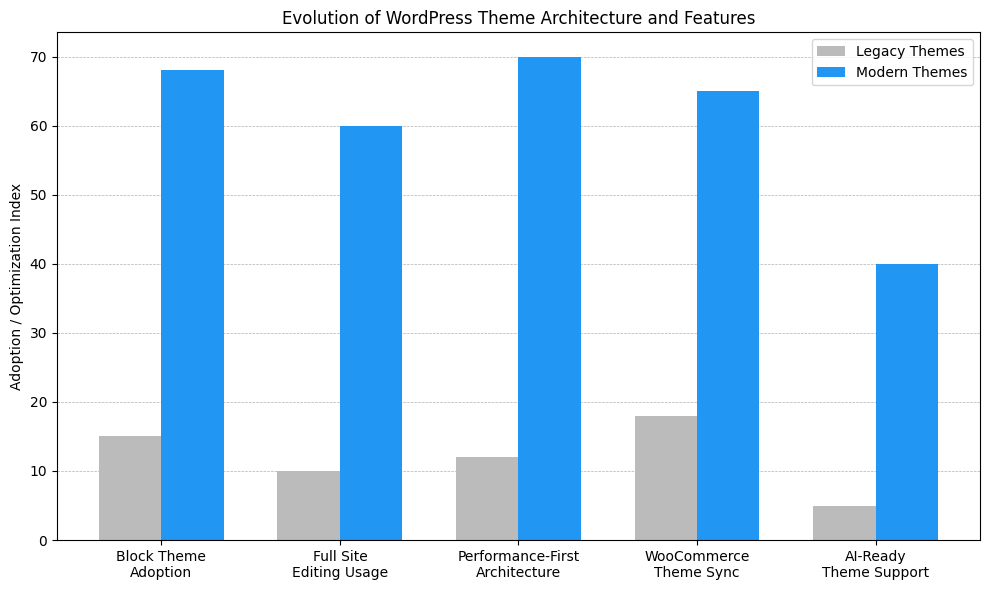
This chart compares modern WordPress themes to legacy ones across five categories: block theme adoption, Full Site Editing usage, performance architecture, WooCommerce compatibility, and AI-readiness. Modern themes show advantages in speed and flexibility, while outdated themes lag in several metrics. The shift isn't just visual, it's structural, affecting user experience, SEO, and e-commerce performance.
WordPress's move to block-based themes represents a fundamental architectural change, not just a new editing experience. Block themes are designed to work natively with the block editor and Full Site Editing, enabling layouts, templates, and global styles to render more efficiently. In contrast, classic themes rely heavily on PHP template files, which increases server processing and makes layouts harder to optimize as WordPress core continues to evolve.
For store owners, this shift affects speed, flexibility, and long-term maintainability. Block themes reduce the technical friction between WordPress core, plugins, and the theme itself. As WordPress introduces new features and performance improvements, block-based themes are more likely to benefit automatically, while older architectures often require workarounds, custom code, or additional plugins just to keep up.
One practical challenge: migrating from a classic theme to a block theme often breaks custom template overrides. If single-product.php or archive-product.php has been customized in a child theme, those files won't work the same way in block themes. Those customizations need to be recreated using template parts and block patterns instead. This isn't a simple find-and-replace process, so adequate time should be budgeted for the transition.
Key architectural differences that matter in practice include:
The Full Site Editor represents one of the more substantial interface changes in WordPress's history. Previous site customization required either knowing CSS or hiring a developer for even minor layout changes. The Site Editor changed this dynamic.
With Full Site Editor-compatible themes, headers, footers, product layouts, and global design elements can now be modified through a visual interface. This doesn't mean developer help will never be needed, but it does mean many customization tasks can be handled independently.
The Style Book feature, added in recent WordPress releases, allows you to preview typography, colors, and spacing across all blocks simultaneously. This makes it easier to maintain design consistency without constantly switching between preview and edit modes.
For store owners managing multiple product categories or seasonal promotions, this level of control can reduce turnaround time for design changes. Where developer availability might previously have caused days of delay, adjustments can often be made in under an hour.
A common issue: when global styles are overridden at the block level, those overrides can create inconsistencies that are hard to track down later. Stores sometimes end up with product pages that look different because someone made a one-off text color change months earlier. Documenting style overrides or sticking to theme.json definitions helps prevent this problem.
Modern WordPress themes are now engineered with performance as a foundational requirement, not an optional enhancement. Since late 2024 through 2026, theme developers have aligned more closely with Core Web Vitals, block rendering efficiency, and reduced frontend bloat. This architectural shift changes how assets are loaded, how styles are generated, and how JavaScript is executed, often resulting in measurable gains in speed, stability, and scalability for WooCommerce stores.
Key technical characteristics of performance-first themes include:
Watch out for themes that claim to be "lightweight" but still enqueue multiple third-party libraries. Some stores run themes that load Google Fonts, Font Awesome, Slick Slider, and three separate JavaScript animation libraries on every page, even pages that don't use any of those features. Checking the actual asset payload in browser dev tools provides more accurate information than the theme documentation alone.
WooCommerce evolves quickly, and theme compatibility is not a one-time concern. Each WooCommerce update can introduce changes to template files, checkout logic, or product display structures. Themes built on older WooCommerce template systems may not fully support these updates, leading to layout inconsistencies, broken checkout steps, or missing functionality. Over time, these issues compound, increasing maintenance effort and raising the risk of conversion loss during routine updates. Modern WooCommerce-ready themes are built to reduce this friction by aligning more closely with WooCommerce's current architecture.
Key integration challenges with outdated themes include:
A recurring problem: WooCommerce 8.0+ changed the structure of product variation data. Themes that hook into the old variation display system show broken swatches or missing stock information. This won't be caught in staging unless variable products with multiple attributes and stock levels are specifically tested. Testing with real complexity matters more than testing with demo products.
WordPress 7.0 is expected to ship in 2026, and while it won't be "AI-native," it includes foundational APIs that matter for e-commerce functionality. The WordPress AI Client, which shipped in version 0.1.0, provides a standardized way for plugins and themes to integrate AI services.
This infrastructure enables practical applications for store owners, including automated product description generation, AI-powered search enhancements, and intelligent chatbot integration. The key difference from previous AI implementations is that standardization plugins won't need to hard-code specific AI providers, making the ecosystem more flexible.
The Abilities API, currently in development, will allow plugins to discover and execute capabilities more efficiently. For store operations, this could mean better workflow automation and more sophisticated content management tools.
These aren't theoretical improvements. They're architectural changes that plugin developers are already building against, which means AI-powered features for WordPress stores may become more accessible throughout 2026.
Independent performance testing throughout 2025 indicates that theme choice has a measurable impact on real-world store speed. These tests go beyond empty demos and focus on realistic setups, including product catalogs, images, and active plugins. The results often show that modern, lightweight themes built on current WordPress architecture deliver faster load times, lower resource usage, and more stable performance as stores scale.
The data also shows that "feature-heavy" does not automatically mean slow. Well-optimized multipurpose themes can perform competitively when they adhere to modern standards, whereas older themes built on legacy frameworks often struggle regardless of hosting or caching. This suggests that performance issues are frequently architectural rather than configuration-related.
Key findings from recent theme performance testing include:
Theme demo performance scores shouldn't be taken at face value. Demos run on optimized infrastructure with minimal plugins and curated content. Loading the theme on a real hosting environment, adding the actual product count, and installing the typical plugin stack provides a more accurate test. Themes that score 95+ on demo sites sometimes drop to 45 when deployed with 500 products and standard WooCommerce extensions.
Google's Core Web Vitals became ranking factors in 2021, but their importance has increased as mobile shopping has grown. Recent platform data show that mobile traffic accounts for 60-70% of e-commerce visits at most stores.
Core Web Vitals measure three specific performance aspects: Largest Contentful Paint (LCP), First Input Delay (FID), and Cumulative Layout Shift (CLS). Theme choice affects all three.
Testing across multiple theme families shows:
In e-commerce, product images are the largest LCP element on most pages. Lazy loading, proper image sizing, and WebP support help maintain acceptable LCP scores even with multiple product images.
The Jetpack Boost plugin analysis found that enabling CSS optimization and JavaScript deferral typically improved Core Web Vitals scores by 15-30%, but starting with an already-optimized theme meant better baseline performance.
One gotcha with CLS: many themes reserve space for image placeholders but don't account for WooCommerce badges (sale tags, stock indicators). Those elements pop in after initial render, causing a layout shift. Explicit height/width reservations need to be added in CSS if the theme doesn't handle this by default.
Choosing a WordPress theme for an e-commerce store should be treated as a strategic decision, not a design preference. A theme defines performance ceiling, how easily adaptation to platform changes occurs, and how much technical debt accumulates over time. Evaluating themes against consistent, measurable criteria helps remove guesswork and can prevent costly rework as WordPress and WooCommerce continue to evolve.
This framework focuses on long-term viability rather than short-term aesthetics. A theme that performs well today but lacks modern architecture or active maintenance will eventually limit growth. By prioritizing performance, compatibility, and update discipline, store owners can select themes that support both current needs and future platform changes.
Key criteria to evaluate when selecting a theme include:
Something worth checking that most people skip: examining the theme's actual WooCommerce template files in the code. If they're just copying core WooCommerce templates without meaningful customization, that's a red flag that the theme isn't actually adding value to WooCommerce; it's just creating a future maintenance burden when WooCommerce updates those templates.
Migrating to a modern WordPress theme is not simply a visual update. For active e-commerce stores, it is a technical transition that must balance performance improvements with business continuity. A structured approach can reduce risk, prevent downtime, and help ensure that gains in speed and usability are not offset by broken templates or lost functionality. Proper preparation also makes it easier to measure whether the new theme delivers real improvements in performance and conversion.
Planning is especially important for WooCommerce stores with custom product layouts, checkout modifications, or third-party integrations. Many issues that arise during theme changes are not caused by the new theme itself, but by legacy template overrides or assumptions baked into the old setup. Addressing these proactively can make the transition smoother.
A practical theme transition process includes:
A real-world issue seen repeatedly: third-party review, size chart, and wishlist plugins often inject their output by hooking into specific theme locations. When themes are switched, those hooks may not exist or may fire in different positions. Review stars might end up below the fold, or size chart buttons might disappear entirely. Every plugin that adds customer-facing content should be tested during staging.
Modern WordPress themes are built around block-based rendering, optimized asset loading, and deeper WooCommerce integration, but even strong theme architecture can benefit from the right supporting plugins. The following plugins work well with modern themes by improving performance, streamlining Full Site Editing workflows, maintaining WooCommerce compatibility, and addressing caching, asset management, Core Web Vitals, checkout performance, and safe migrations.
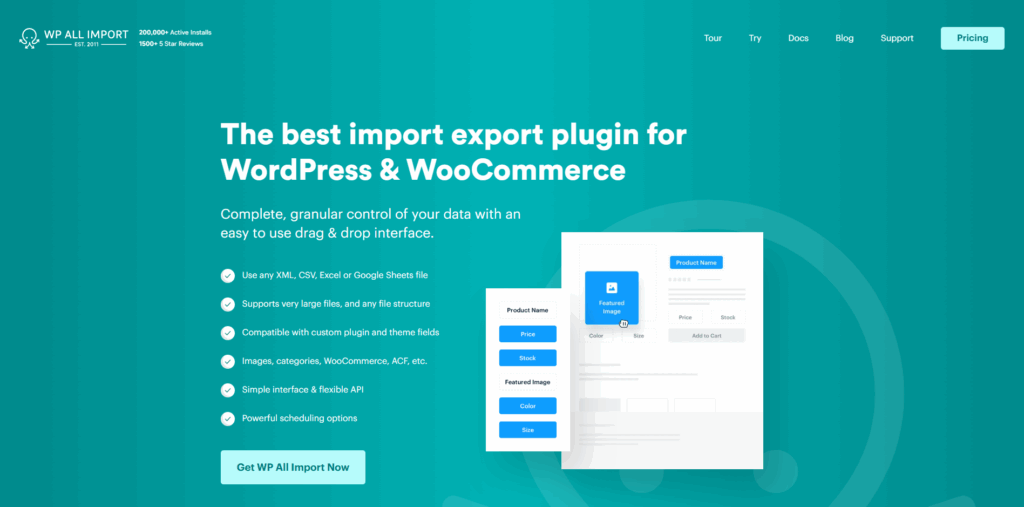
WP All Import simplifies bulk product and content imports while remaining compatible with modern theme structures.
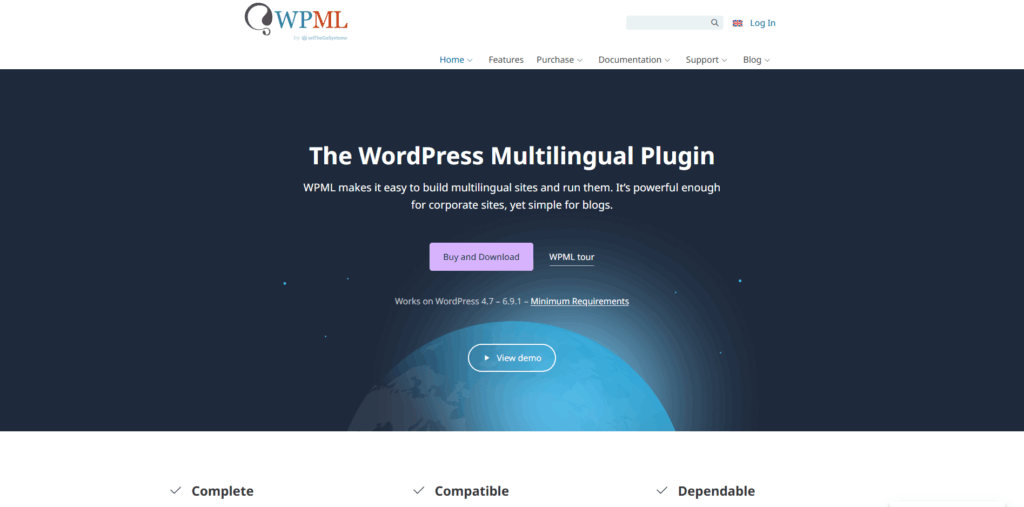
WPML enables multilingual WooCommerce stores without breaking block-based layouts or Full Site Editing features.
WP Vivid Backup provides reliable backups during theme migrations and major architectural changes.
CheckoutWC replaces the default WooCommerce checkout with a streamlined layout that aligns with modern theme design standards.
WP Grid Builder provides advanced filtering and grid layouts optimized for modern themes and WooCommerce catalogs.
The WordPress theme landscape has shifted. Themes built on older architectures are becoming harder to maintain and often exhibit performance disadvantages compared to modern alternatives. For e-commerce stores, these performance differences can translate to conversion impacts.
There's no need to rush into a theme change, but if the current theme was released before 2024, hasn't received updates in the past 6 months, or shows consistent performance issues, an evaluation is probably warranted. The gap between optimized modern themes and older alternatives has widened enough to matter for store revenue.
The WordPress ecosystem continues evolving. Staying current with these changes isn't about chasing trends. It's about maintaining competitive performance in an increasingly speed-focused e-commerce environment. If specific performance bottlenecks or WooCommerce compatibility issues are occurring, those are worth investigating regardless of the theme's age. Sometimes the fix is theme-related, sometimes it's hosting or plugin configuration. Proper diagnosis comes before any architectural decision.
"*" indicates required fields
"*" indicates required fields
"*" indicates required fields