
If you've ever tried customizing your Shopify checkout page, you've likely encountered the limitations of the traditional process. Adding something as simple as a custom field, a trust badge, or a last-minute upsell often required deep code changes using the old checkout.liquid system. What should have been straightforward optimizations quickly became complex development tasks that required ongoing maintenance. For many small and mid-sized merchants without in-house developers, this meant forgoing checkout improvements altogether, even when those changes could build trust, reduce friction, or boost conversion rates. As a result, checkout experiences often lagged behind the rest of the storefront in both flexibility and performance.
Shopify's Checkout Extensibility was introduced to address these long-standing challenges. Instead of direct code edits, merchants now work within a structured, app-based framework that is more secure, scalable, and adaptable to future updates. This shift allows stores to adopt new Shopify features without breaking customizations, while still enabling meaningful checkout enhancements. At the same time, it introduces new concepts, tools, and constraints that merchants need to understand. While there's a learning curve, Checkout Extensibility can provide a more stable foundation for optimizing the checkout experience.
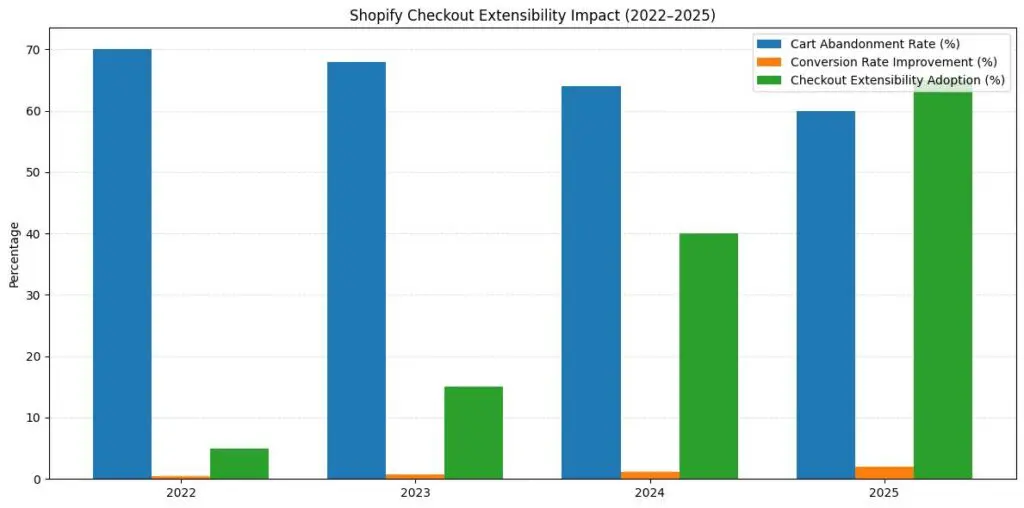
For years, Shopify Plus merchants could customize their checkout by editing the checkout.liquid file directly. While this provided flexibility, it came with drawbacks that affected businesses of all sizes.
Every time Shopify released new features, merchants often needed to manually update their customized checkout code to maintain compatibility. This created an ongoing maintenance burden, leading many stores to miss out on performance improvements and new functionality because updating their custom code was too complex or expensive.
The old system also didn't always integrate smoothly with Shop Pay, Shopify's accelerated checkout option. According to data Shopify has shared, Shop Pay can improve conversions compared to standard guest checkout in many implementations. However, customizations built with checkout.liquid sometimes couldn't work alongside Shop Pay, forcing merchants to choose between customization and this optimization option.
Checkout Extensibility is Shopify's framework for building and deploying checkout customizations through apps rather than direct code editing. Think of it as moving from hand-coding HTML to using modular building blocks that integrate with the platform's core architecture.
The system includes several key components that work together to give merchants more control without necessarily requiring deep technical knowledge. Small business owners can often install apps that modify their checkout experience without writing code, though more complex customizations may still require developer assistance.
This app-based approach means your customizations can inherit your store's branding, work across different checkout flows (including Shop Pay), and typically continue functioning when Shopify adds new features. Shopify has indicated that stores using Checkout Extensibility often see faster checkout experiences than with the old system, though specific results depend on implementation details.
UI Extensions let you add new elements directly into your checkout flow at specific points. You can insert custom fields to collect gift messages, display product recommendations, add trust badges, show loyalty program information, or create offers based on cart contents.
What makes this approach practical is the "install and configure" model. Browse the Shopify App Store for checkout apps, install the one that addresses your needs, and configure it using a visual editor. No developer required for basic implementations, though thorough testing on your specific store setup remains important.
Functions give you control over the business logic that powers your checkout. You can create custom discount structures, such as "spend $100, save $20," or tiered shipping discounts that go beyond Shopify's standard discount options.
These run on Shopify's servers, which can provide speed and security benefits. For small businesses, this means you can build promotional strategies that previously required expensive custom development or were simply not possible.
One important caveat: Functions require programming knowledge (Rust or JavaScript), so unless you're comfortable with code, you'll likely need developer help or an app that implements Functions for you. Additionally, Functions have execution time limits and can't make external API calls, which constrains certain use cases.
The Branding API lets you customize the visual appearance of your checkout to match your store's design. Adjust fonts, colors, button styles, corner radius, and spacing all through a visual editor without CSS knowledge.
This consistency matters more than you might think. When customers see a checkout page that looks dramatically different from your store, it can potentially trigger security concerns and contribute to cart abandonment. Branded checkouts tend to feel more trustworthy, though this is one factor among many that influence checkout completion.
Web Pixels provides a secure way to add tracking scripts for analytics, advertising platforms, and conversion pixels. Previously, adding these scripts often meant editing checkout.liquid or using third-party workarounds that could slow down your page.
Now you can manage tracking from a single dashboard, and Shopify aims to ensure these pixels load efficiently without degrading checkout performance. For small businesses running lean marketing budgets, accurate conversion tracking helps inform advertising decisions.
Shopify has suggested that Checkout Extensibility can support an average increase of approximately 1% in conversions due to faster page interactions and smoother user experiences in some implementations. While that might sound modest, consider what it means in practical terms: if your store generates $500,000 in annual revenue, a 1% improvement would typically translate into an additional $5,000 in sales without increasing traffic.
The potential opportunity often comes from strategic customizations. Some stores using Checkout Extensibility have reported improvements from adding features like:
A study cited by Shopify found that their overall checkout converts better than some competing platforms on average. Part of this performance comes from years of optimization across millions of transactions. Checkout Extensibility aims to preserve that performance while adding flexibility, though results vary based on how merchants implement and test their customizations.
If you're currently using checkout.liquid customizations, you need to be aware of Shopify's transition timeline.
As of August 13, 2024, checkout.liquid stopped working for the Information, Shipping, and Payment pages. The Thank You and Order Status pages have a deadline of August 28, 2025. If you haven't migrated yet, any customizations on those earlier pages have already been disabled.
The timeline can be managed with planning. Many merchants complete their migration in a few days to a few weeks, depending on complexity. Some find that rebuilding with Checkout Extensibility simplifies their setup, as they can use pre-built apps instead of maintaining custom code.
The old checkout.liquid allowed arbitrary JavaScript. Checkout Extensibility restricts what code can run for security and performance reasons.
Practical approach: Most common use cases now have app equivalents. Search the app store for your specific need, for example, if you had custom JavaScript for address validation, search "address validation checkout" to find apps that provide this functionality through UI Extensions. For truly custom logic, Functions can handle many scenarios, though they require knowledge of Rust or JavaScript and have execution constraints that differ from those of browser-side scripts.
If your checkout.liquid had elaborate if/then logic based on cart contents, customer tags, or metafields, rebuilding can be tricky.
Practical approach: Shopify Functions support conditional logic, but the syntax is different. You may need to break complex conditions into multiple simpler Functions or use apps that provide visual conditional builders. For example, if you had logic that applied different shipping rates based on customer tags AND cart value AND product types, you might need to create a Function that evaluates these conditions sequentially rather than in one complex statement.
Also, be aware that Functions have execution time limits (typically measured in milliseconds), so extremely complex logic chains may need to be optimized or simplified.
Some third-party services are integrated via checkout.liquid won't have native Checkout Extensibility support yet.
Practical approach: Check with your third-party providers for updated integration methods. Many have released new apps or web pixels that work with the new system. For services without support, you may need to find alternatives or contact the provider about their roadmap. In some cases, you can work around this with Web Pixels for tracking-based integrations, but interactive integrations (such as custom payment options or address verification services) require proper app support.
With checkout.liquid, you could test locally and preview exactly how customizations would behave. Checkout Extensibility apps need to be installed to test, which can feel more cumbersome.
Practical approach: Use development stores for testing before deploying to production. Shopify Partners accounts get unlimited development stores for this purpose. Test all your discount combinations, product types, and customer scenarios before going live. Pay special attention to:
You don't need to be on Shopify Plus to benefit from understanding Checkout Extensibility, though currently, many advanced customization features are Plus-exclusive. However, Shopify has been gradually expanding capabilities to standard plans, and the app ecosystem serves all merchant tiers.
Start by auditing your current checkout. What customizations do you currently have? Which are core to your business, and which were nice-to-haves that you could live without? Shopify provides a customization report in your admin (Settings > Checkout) that lists your current setup.
Explore the app ecosystem. Visit the Shopify App Store and filter by checkout apps. Many offer free trials, so you can test functionality before committing. Look for apps that solve specific problems rather than installing everything that looks interesting. Each additional element in checkout can potentially add friction.
Consider your brand consistency. Use the Branding API to ensure your checkout visually matches your store. This is one of the more straightforward implementations that requires no technical knowledge but may help with trust and conversion rates.
Think about your customer's perspective. Effective checkout customizations often solve real customer needs or remove obstacles. If customers frequently contact you asking about shipping times, adding estimated delivery dates might help. If you sell products people commonly gift, making it easy to add gift messages could reduce friction.
The flexibility of Checkout Extensibility can be tempting, but more isn't always better for checkout optimization. Each additional field or element you add introduces another opportunity for customers to pause, reconsider, or abandon their purchase.
Don't over-customize. Just because you can add something doesn't mean you should. Every element should serve a clear purpose: either support conversion or provide information customers actually need. Test your changes and measure their impact rather than assuming more customization equals better results.
Avoid disrupting the checkout flow. Shopify has spent years optimizing the checkout process using data from millions of transactions. If you add elements that create confusion or require unexpected decisions, you may inadvertently hurt your conversion rate. Keep customizations intuitive and aligned with customer expectations.
Test on mobile. Most e-commerce traffic now comes from mobile devices. Your checkout customizations need to work smoothly on small screens, not just desktop browsers. Many apps handle responsive design automatically, but always verify the mobile experience before finalizing changes.
Watch your load times. While Checkout Extensibility is generally faster than checkout.liquid, installing multiple apps can still potentially impact performance. Monitor your checkout speed using Shopify's built-in analytics or tools like Google PageSpeed Insights. If you notice slowdowns, evaluate whether each app is providing sufficient value.
The Shopify App Store includes hundreds of apps built specifically for Checkout Extensibility. The examples below represent common use cases: upsells, trust, validation, tracking, and post-purchase optimization. These are apps I've encountered in client implementations that use Shopify's modern checkout framework, not endorsements.
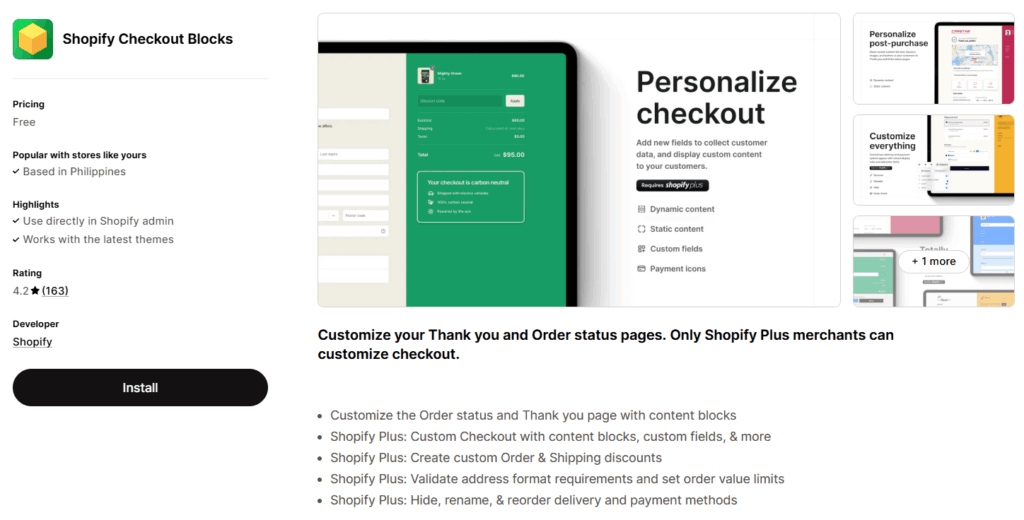
Checkout Blocks lets merchants add dynamic content, such as trust badges, custom messages, and conditional blocks, directly into the checkout using Shopify's UI Extensions. It's often used to reinforce trust or highlight promotions without custom code.
Key features:
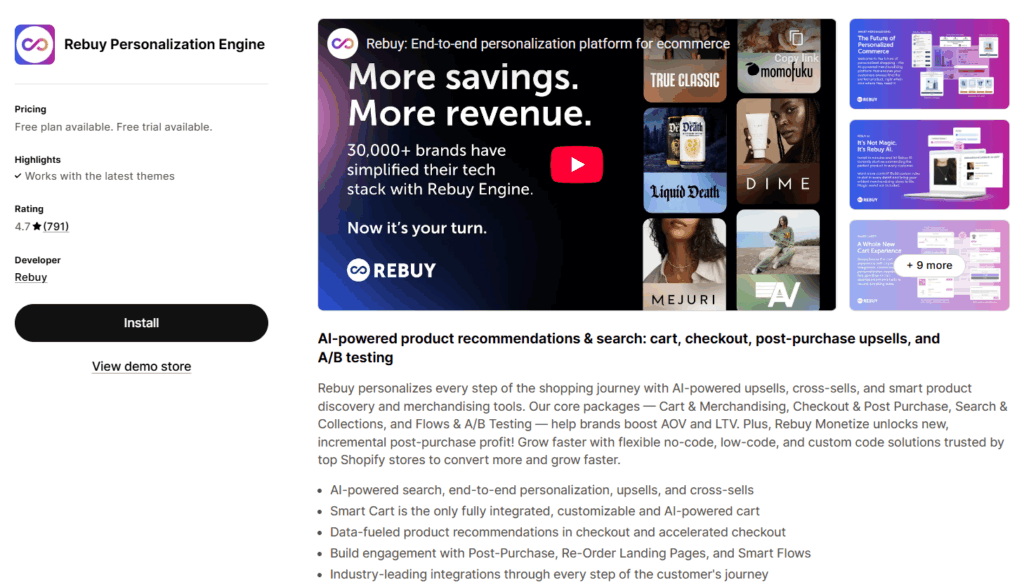
Rebuy focuses on intelligent upsells and cross-sells that appear at checkout and post-purchase, leveraging Shopify's extensibility framework to maintain performance.
Key features:
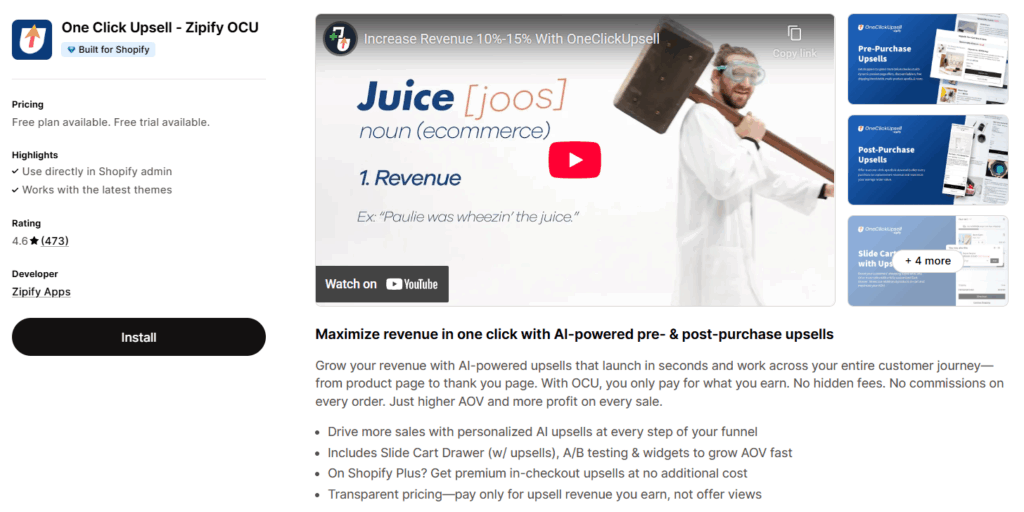
Zipify OCU enables one-click post-purchase offers that integrate with Checkout Extensibility, potentially increasing AOV without disrupting the main checkout flow.
Key features:
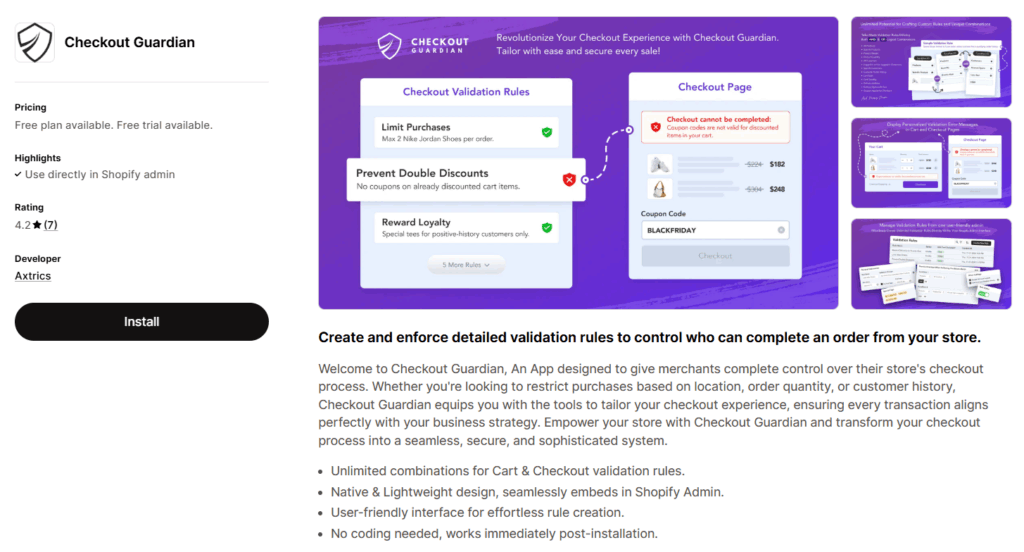
Checkout Guardian blocks invalid or risky orders using Shopify Functions, helping merchants enforce rules around quantities, locations, or restricted products.
Key features:
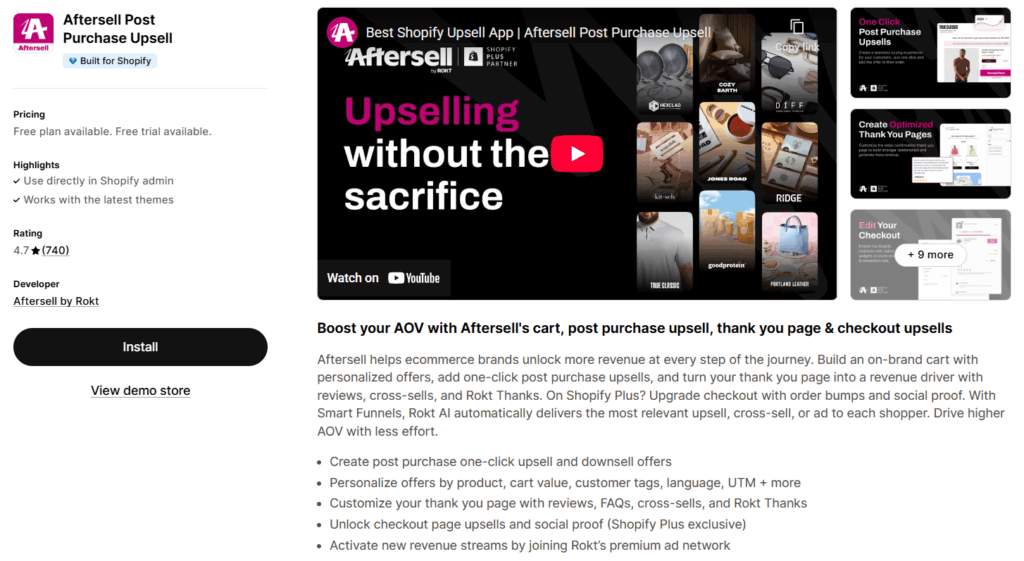
AfterSell focuses on post-purchase monetization via Shopify-supported post-checkout surfaces, ensuring compatibility with modern checkout flows.
Key features:
Shopify continues expanding Checkout Extensibility capabilities based on merchant feedback and platform priorities. Recent updates have included additional UI components, new APIs for accessing checkout data, and expanded customization points throughout the customer journey.
For small business owners, this means the gap between what enterprise stores can achieve and what's accessible to smaller operations continues narrowing. Features that once required custom development teams are increasingly becoming point-and-click installations.
The platform is also expanding extensibility beyond the main checkout pages, now including order status pages and post-purchase experiences. This creates opportunities for building more comprehensive customer journeys that extend beyond the initial transaction.
Not every store needs extensive checkout customization. If your checkout is converting well and you're not receiving customer feedback suggesting friction points, the standard Shopify checkout might be sufficient for your needs.
However, if you're experiencing high cart abandonment, if customers frequently ask questions that could be answered with checkout messaging, or if you want to test strategic upsells and promotions, Checkout Extensibility provides tools that may help address these challenges.
The key is to approach it strategically rather than simply adding customizations because you can. Focus on solving real problems and measuring results. A/B testing different configurations can help you understand which changes actually improve your specific business outcomes versus which just add complexity.
If you're interested in exploring what Checkout Extensibility might do for your store, start with research rather than implementation:
For Shopify Plus merchants who haven't yet migrated from checkout.liquid, prioritize this transition. While the Thank You page deadline is still several months away, completing your migration sooner gives you more time to test, optimize, and address any unexpected issues that arise.
For stores on standard Shopify plans, focus on the customization options available to you now while keeping an eye on new capabilities as they roll out. The checkout experience you can build today is more flexible than what was possible just a couple of years ago, and that flexibility continues to expand.

"*" indicates required fields
"*" indicates required fields
"*" indicates required fields